


Customize the plugin
Customize the Prestashop plugin to suit your unique business requirements.
Before you begin
Setup correct ISO two letter language codes
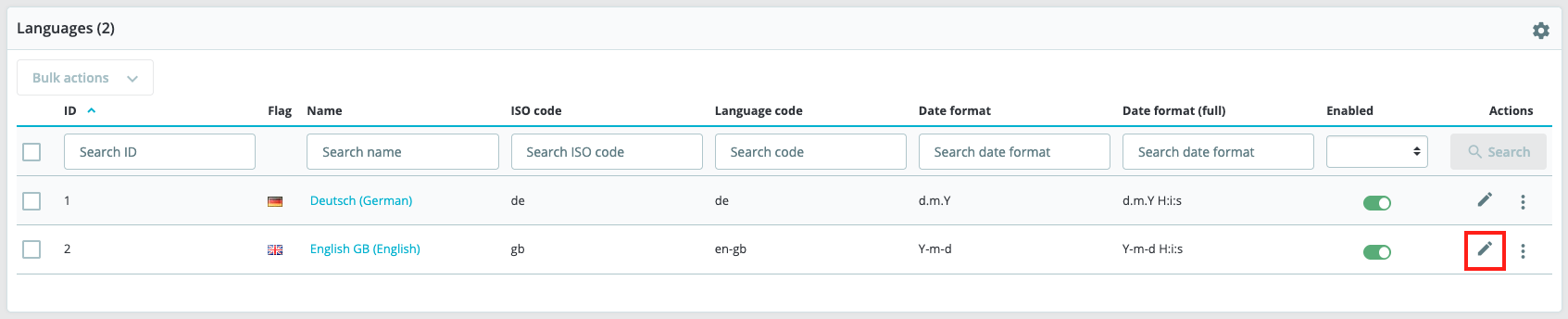
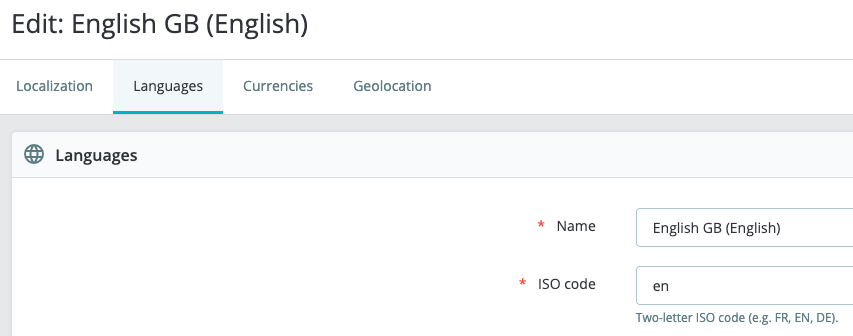
When you install English language in Prestashop, sometimes Prestashop set gb as the two letter ISO code. You must change change this value to en and this is easy to do. If you do not change it, payments may fail and cause lost orders.
How to set correct two letter ISO language code,
- Sign in to your shop and go to International > Localization > Languages.
- Select Edit, on the right for language you need to edit. In this case English.
- Change the value in the field ISO code from gb to en.
- Select Save.