


Setup the plugin
Learn how to setup and configure the plugin.
Follow these steps to setup and configure Unzer Hyvä Checkout plugins for Magneto 2 ecommerce platform.
Check Hyvä themes installation
To use our Hyvä Checkout plugins, Hyvä Themes must be installed and active.
Login to your Magento 2 admin
Go to Content -> Themes
Check there is line called Hyvä Default.
If you can’t see Hyvä Default, check Hyvä Documentation for help.

Click Save Configuration
Select Hyvä themes for your store(s)
You must select for which store(s) you want to use Hyvä Themes
Login to your Magento 2 admin
Go to Content -> Configuration

Click on Edit if you want to change the theme for a store
Change in theme in Applied theme dropdown
Click Save Configuration
Choose Hyvä Checkout version
Hyvä Checkout has two version for you to choose from
Login to your Magento 2 admin
Go to Store -> Configuration -> Hyvä Themes -> Checkout
Select Hyvä Default if you want stanard checkout

Select Hyvä One Page if you want to use One Page Checkout

Click Save Configuration
Choose React Checkout (not recommended)
Login to your Magento 2 admin
Go to Store -> Configuration -> Hyvä Themes -> React Checkout
Select Yes to activate and No to deactivate
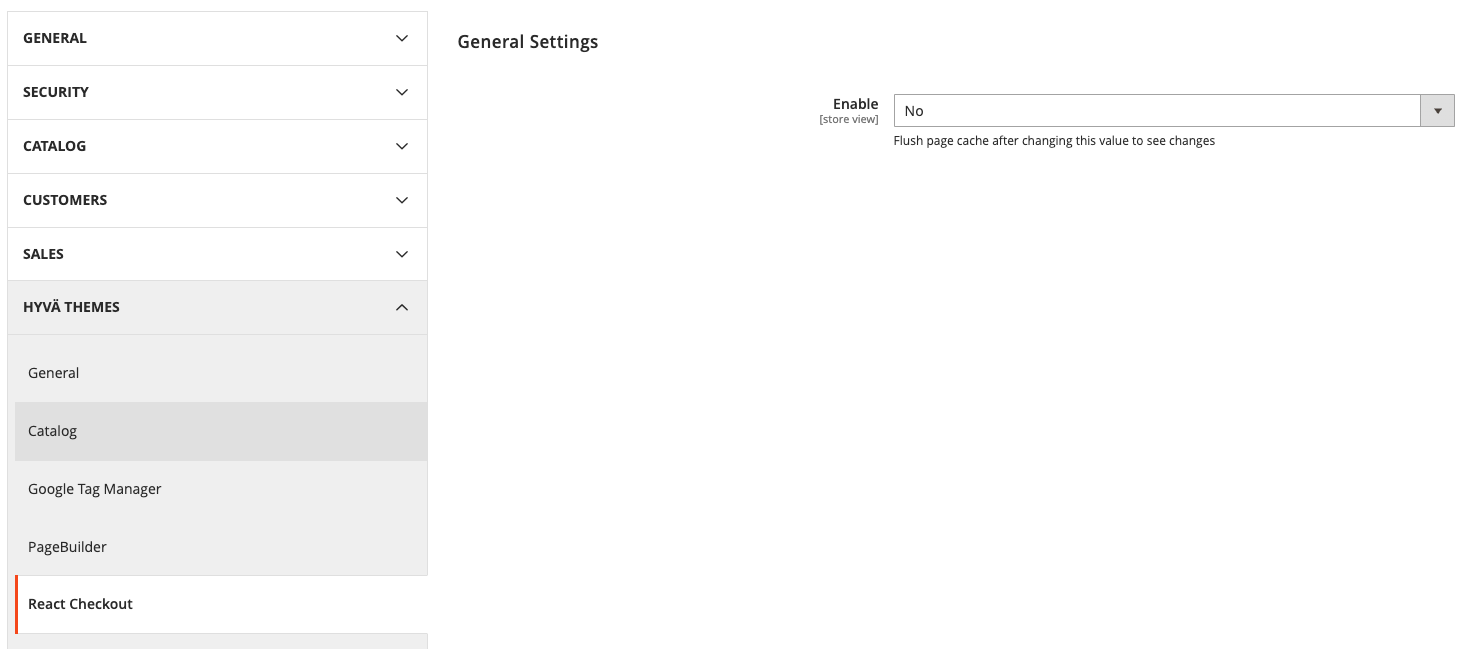
Click Save Configuration