


Setup the plugin
Learn how to setup and configure the plugin.
Follow these steps to setup and configure Unzer Hyvä Checkout plugins for Magneto 2 ecommerce platform.
Check Hyvä themes installation
To use our Hyvä Checkout plugins, Hyvä Themes must be installed and active.
- Login to your Magento 2 admin
- Go to Content -> Themes
- Check there is line called Hyvä Default.
If you can’t see Hyvä Default, check Hyvä Documentation for help.

- Click Save Configuration
Select Hyvä themes for your store(s)
You must select for which store(s) you want to use Hyvä Themes
- Login to your Magento 2 admin
- Go to Content -> Configuration

- Click on Edit if you want to change the theme for a store
- Change in theme in Applied theme dropdown
- Click Save Configuration
Choose Hyvä Checkout version
Hyvä Checkout has two version for you to choose from
- Login to your Magento 2 admin
- Go to Store -> Configuration -> Hyvä Themes -> Checkout
- Select Hyvä Default if you want stanard checkout

- Select Hyvä One Page if you want to use One Page Checkout

- Click Save Configuration
Choose React Checkout (not recommended)
- Login to your Magento 2 admin
- Go to Store -> Configuration -> Hyvä Themes -> React Checkout
- Select Yes to activate and No to deactivate
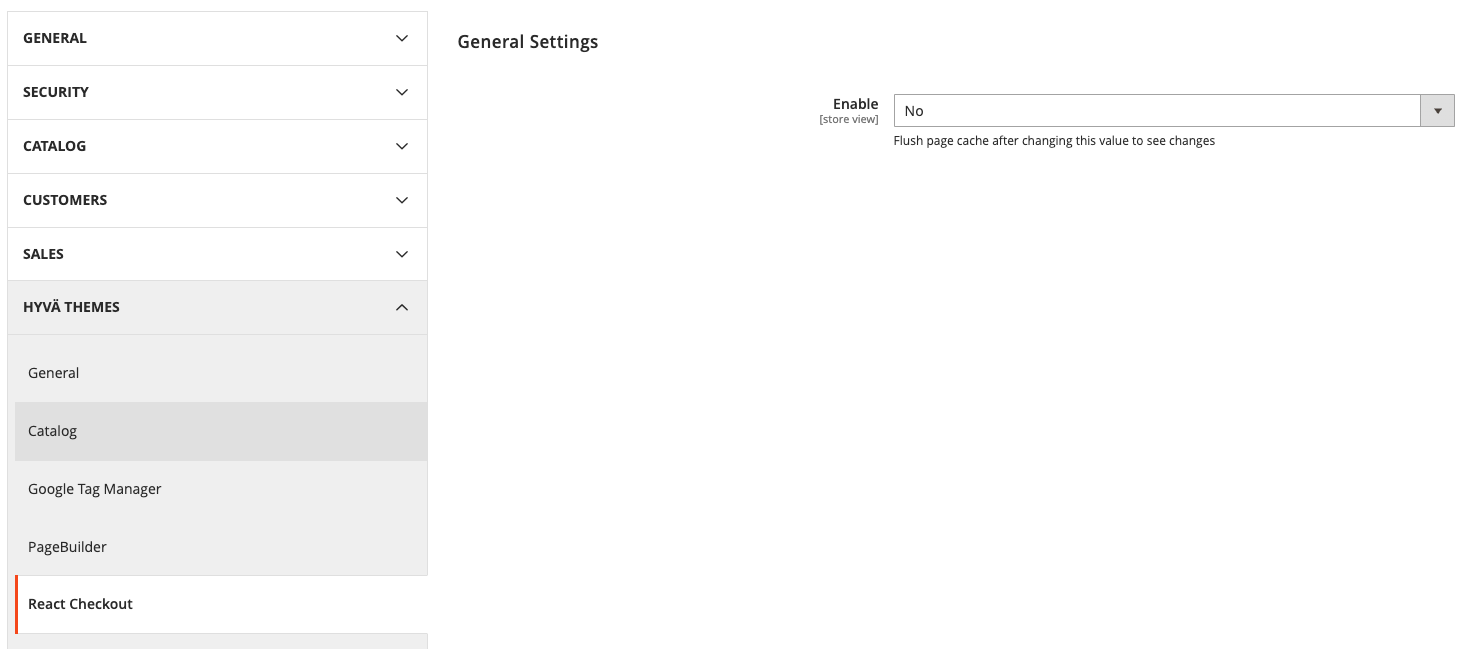
- Click Save Configuration