


Customize the plugin
Customize the JTL 5-shop plugin to suit your unique business requirements.
This section is optional, but as an agency or a developer, you can customize some sections of the plugin according to your requirements.
Step 1: Styles
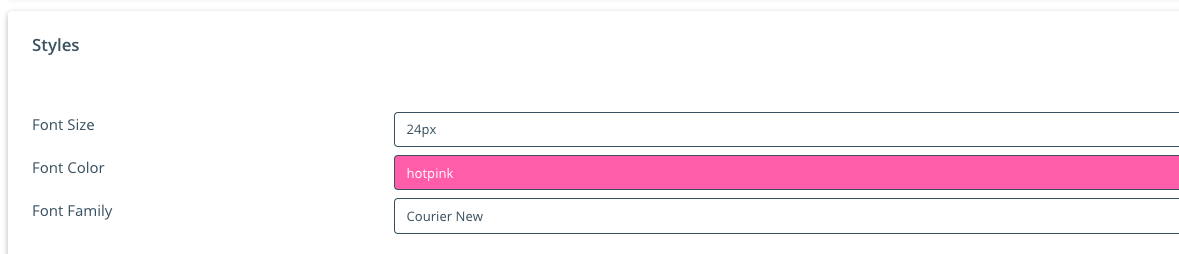
Change the looks and feel of the Credit Card Compoment
| Field | Description |
|---|---|
| Font Size | Select the font size for the credit-card form |
| Font Color | Select the font color for credit-card form |
| Font Family | Select the font type for the credit-card form |
Step 2: UI Components
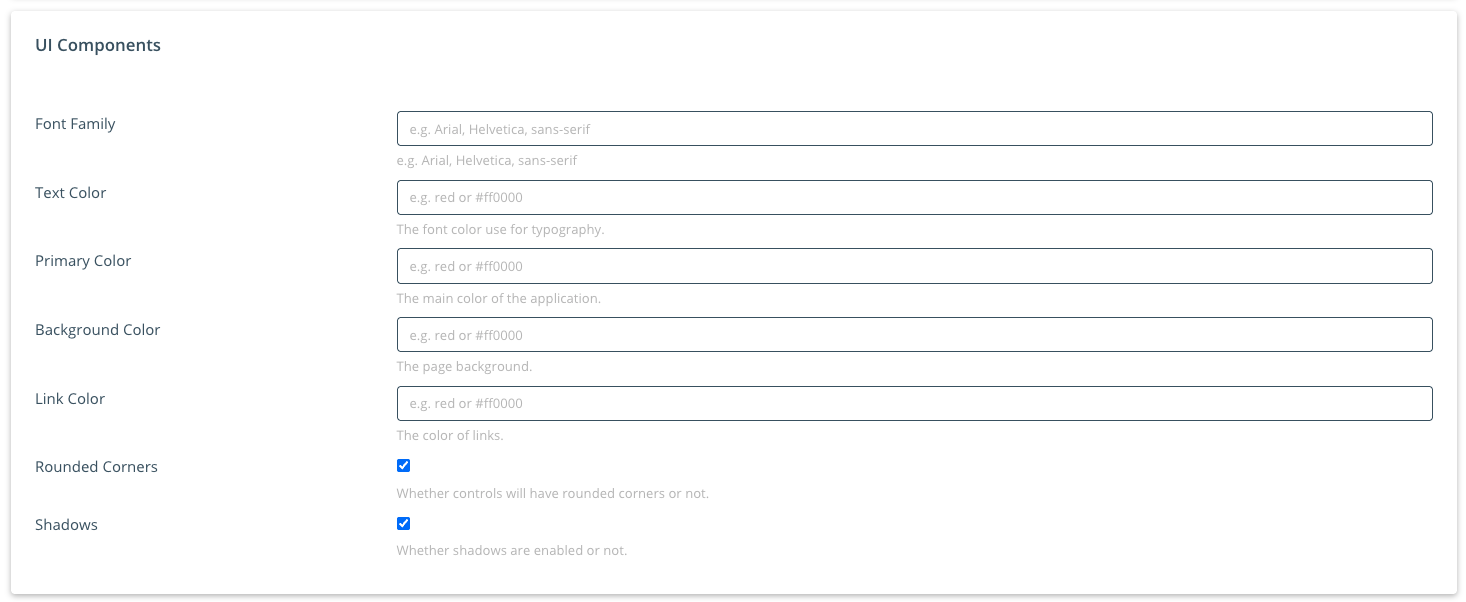
Change the looks and feel of the UI Component
| Field | Description |
|---|---|
| Font Family | Select the font type for the UI Components |
| Text Color | Select the font color for the UI Components |
| Primary Color | The main color of the UI Components |
| Background Color | The page background of the UI Components |
| Link Color | The color of links in UI Components |
| Rounded Corners | Whether controls will have rounded corners or not |
| Shadows | Whether shadows are enabled or not |
Step 3: Expert Settings
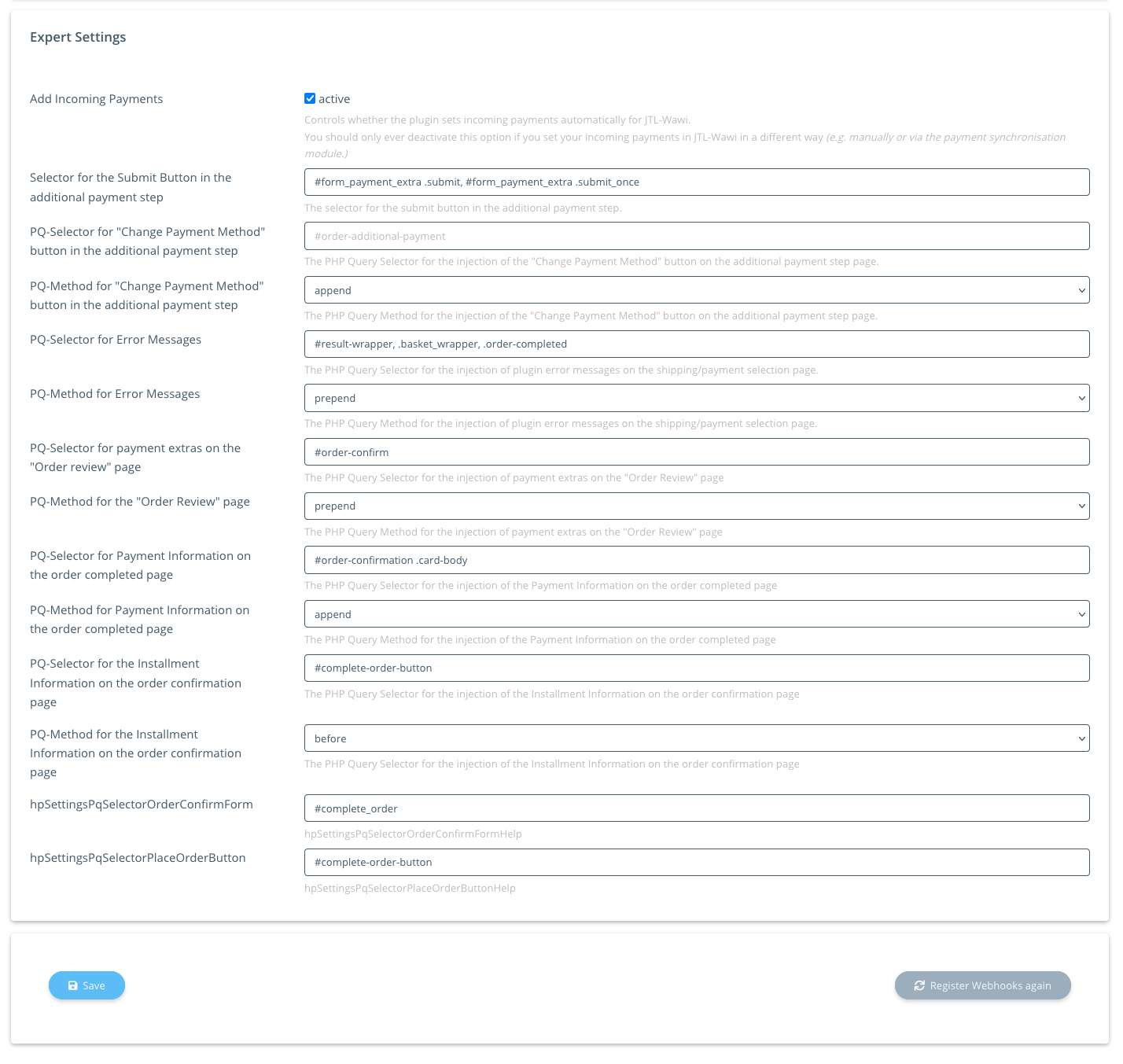
These settings should only be changed by a JTL Expert.
| Field | Description |
|---|---|
| Add Incoming Payments | Controls whether the plugin sets incoming payments automatically for JTL-Wawi |
| Selector for the Submit Button in the additional payment step | Select the type of the submit button in the payment step |
| PQ-Selector for “Change Payment Method” button in the additional payment step | Select the the PHP-query-selector to hook into Zahlungsart ändern button for the payment steps |
| PQ-Method for “Change Payment Method” button in the additional payment step | Select the PHP-query-add-method to hook into Zahlungsart ändern -button for the payment steps |
| PQ-Selector for Error Messages | Select the PHP-query-selector to hook into plugin failure messages for the Versandart/Zahlungsart Auswahl |
| PQ-Method for Error Messages | Select the PHP-query-add-method to hook into plugin failure messages for the Versandart/Zahlungsart Auswahl |
| PQ-Selector for payment extras on the “Order review” page | Select the PHP-query-selector to hook into payment method extras for the Bestellung überprüfen webpage |
| PQ-Method for the “Order Review” page | Select the PHP-query-add-method to hook into payment method extras for the Bestellung überprüfen webpage |
| PQ-Method for Payment Information on the order completed page | The PHP Query Selector for the injection of the Payment Information on the order completed page |
| PQ-Selector for the Installment Information on the order confirmation page | The PHP Query Selector for the injection of the Installment Information on the order confirmation page |
| PQ-Method for the Installment Information on the order confirmation page | The PHP Query Selector for the injection of the Installment Information on the order confirmation page |
| hpSettingsPqSelectorOrderConfirmForm | Confirm form |
| hpSettingsPqSelectorPlaceOrderButton | Order button |
Step 4: Save
Click Save to save your changes.
Register webhooks (optional)
Click Register webhooks again to make sure webhooks are set correctly. They are also set when you save the API Keys during setup.